
How to Build a ChatGPT Model to Help You With Your MCAS Symptoms: Turning Lived Experience Into Something Predictive
When you live with something like MCAS, a lot of life becomes reactive. You eat something and wait to see what happens. You go somewhere new and brace for symptoms. You try a new activity and hope you didn’t push too far. For a long time, that was my reality: collecting experiences without a reliable way to connect them into something actionable.
That’s where modeling with ChatGPT came in.
ChatGPT has helped me build models to predict how food, environment, and activity might affect my MCAS symptoms. In this post, I’ll walk through the exact process I use so you can follow along and adapt it for your own situation. I’ll also build a new model from scratch here and include screenshots so you can see what this looks like in practice.
Before we go further, it’s worth clarifying what I mean by a “model.”
When I use that word, I don’t mean writing code or training a traditional machine learning system. I mean teaching ChatGPT—through structured data, prompts, and feedback—how my body responds, so it can make increasingly informed predictions based on patterns in my own history.
Steps to creating a MCAS predictive model with ChatGPT
I’ve worked in tech for over a decade as a software engineer and UX researcher, but I’m not an AI expert or a data scientist. What follows isn’t an official way to do this, but it is the approach that has worked best for me. Your mileage may vary.
I’ve found that creating a useful predictive model with ChatGPT generally follows four steps:
- Collect and record useful data
- Ingest, analyze, and build the model
- Query the model
- Retrain and repeat
Steps 1 and 4 matter the most. A model is only as good as the data you use to build it and the feedback you give it after predictions are made.
Step 1: Collect and record useful data
To build a meaningful model, you need data that reflects your lived experience over time. The longer you collect data (in calendar days), the more accurate your model can become—but even a couple of weeks is often enough to uncover useful patterns.
This data does not need to be perfect.
Messy, incomplete, or inconsistently formatted data is still valuable. A simple daily log is often enough to start, such as:
- How you felt that day (even a rough 0–10 scale)
- Key symptoms
- Sleep quality
- Environmental notes (weather, pollen, dust, mold exposure, travel)
- Food or activity changes
For a concrete example to use in this post, I tracked my daily symptom severity alongside basic environmental factors. This allows a model to explore how my MCAS responds to things like barometric pressure changes, pollen levels, temperature, sleep patterns, and exposure triggers such as dust or mold.
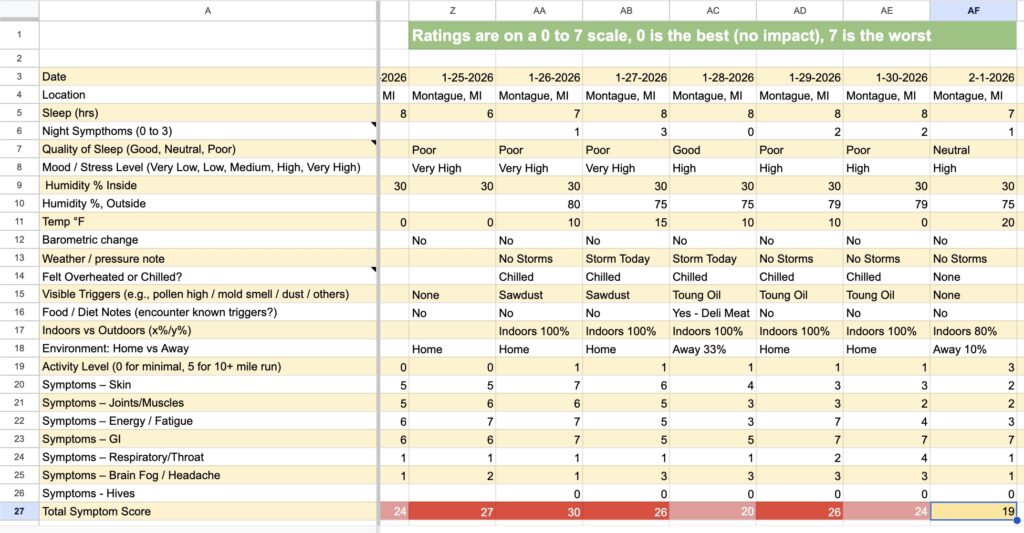
Step 2: Ingest, analyze, and build the model
Once you have your data, the next step is bringing it into ChatGPT and turning it into something usable. This happens in three parts.
2a. Bring the data into ChatGPT
You can either:
- Copy and paste your data directly into ChatGPT (even if the formatting looks rough), or
- Upload a data file such as .csv or .xlsx, etc
ChatGPT is generally very good at parsing imperfect formatting and if this feels overwhelming at first, start smaller than you think—you can always add complexity later.
Start a new chat for this work so the context stays clean and focused.
2b. Ask ChatGPT to analyze patterns
After adding your data, prompt ChatGPT with something like:
“I’ve been tracking MCAS symptoms and environmental factors for the past few weeks. Can you analyze this data and identify any trends or patterns that stand out?”
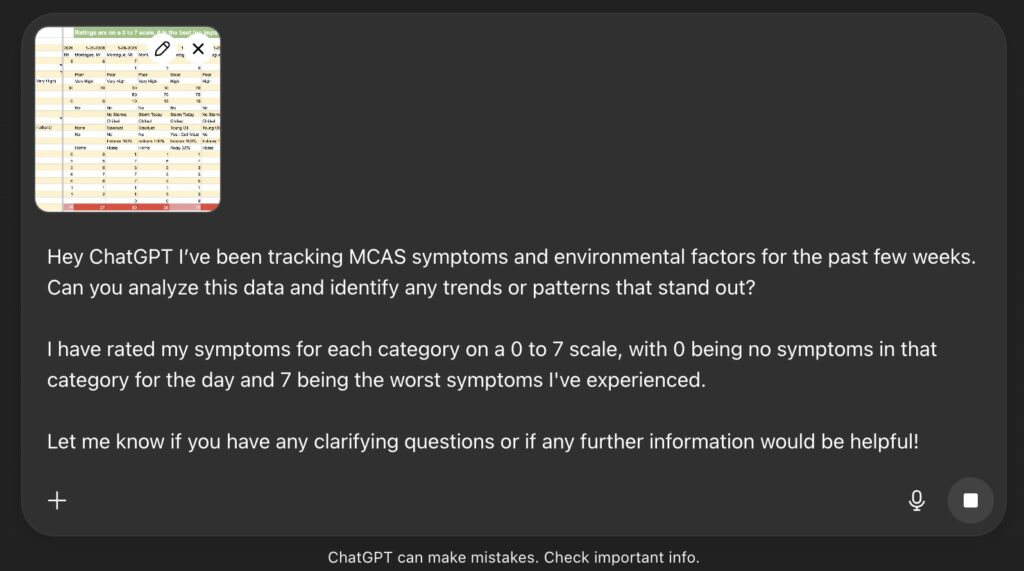
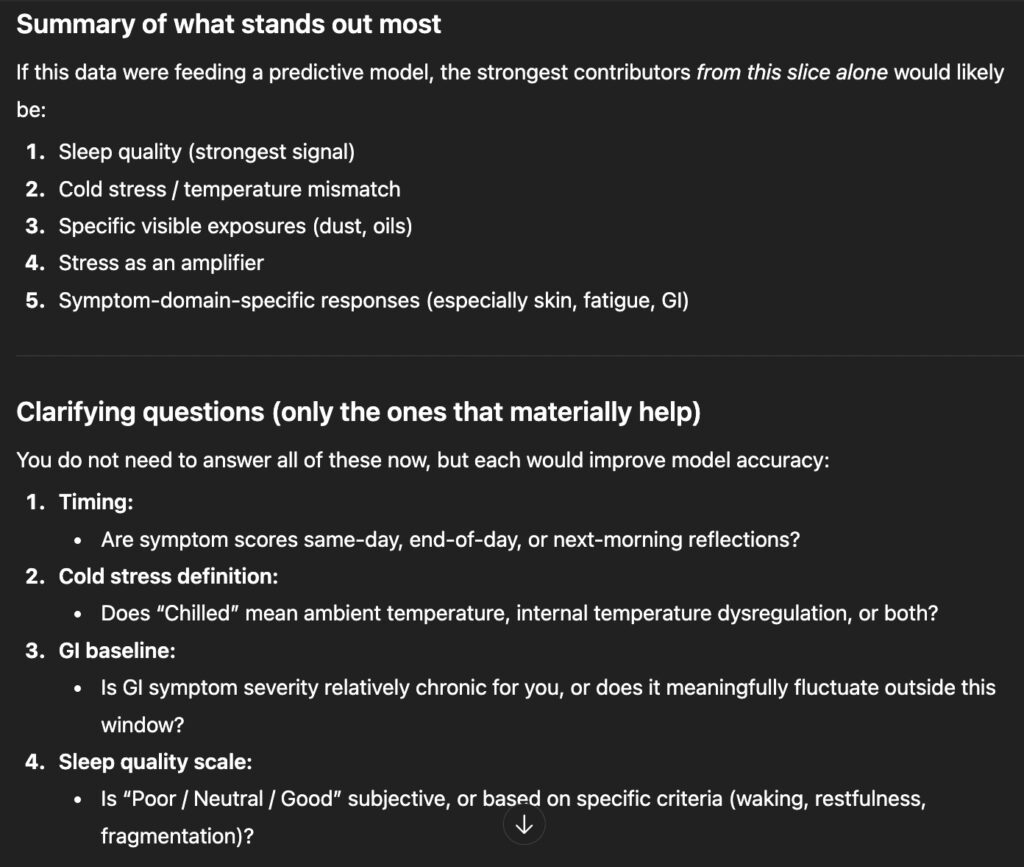
It isn’t strictly necessary to ask ChatGPT to share “trends or patterns that stand out”, but it’s extremely helpful. It lets you see how ChatGPT is interpreting your data and gives you insight into the assumptions it may use when building predictions. Below are a couple of screenshots from the response that ChatGPT gave me:
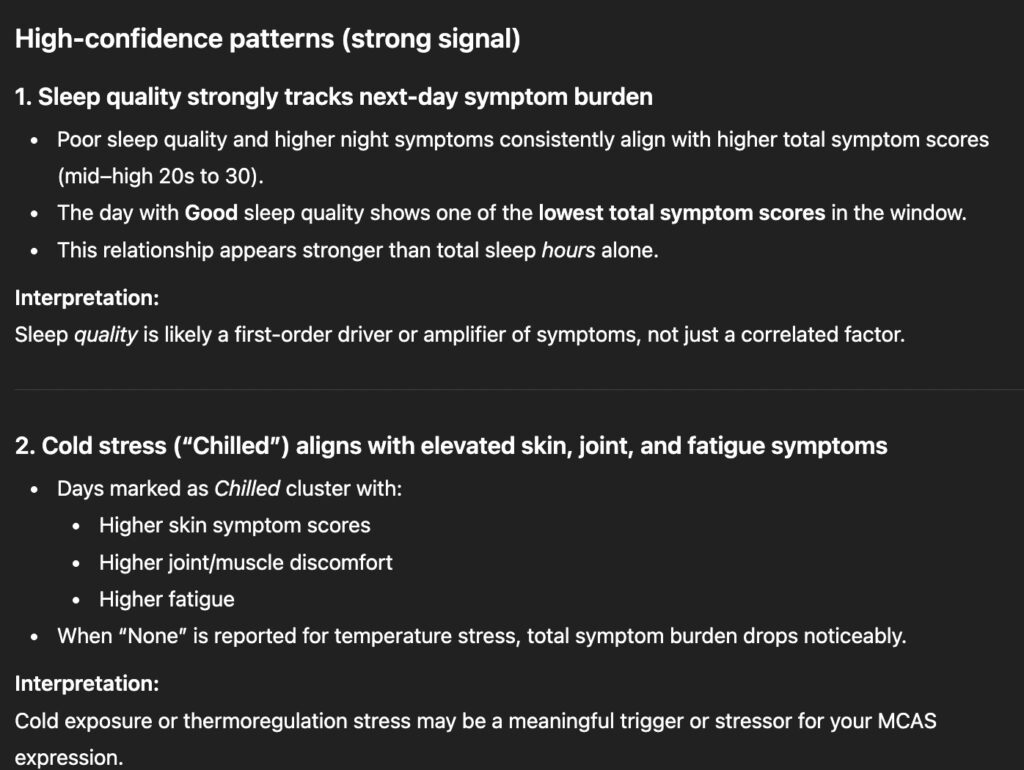
2c. Ask ChatGPT to build a predictive model
Once patterns are identified, you can move on to building the model itself. A prompt might look like:
“Using this data and the trends we identified, can you build a predictive model that I can query to estimate how well different locations might work with my MCAS symptoms (or insert the goal of your model such as estimating the impact certain foods will have on your symptoms, etc)? Please ask any clarifying questions that would help improve accuracy.”
Below are a couple of screenshots from ChatGPT’s response to when I gave it the exact prompt shown above:
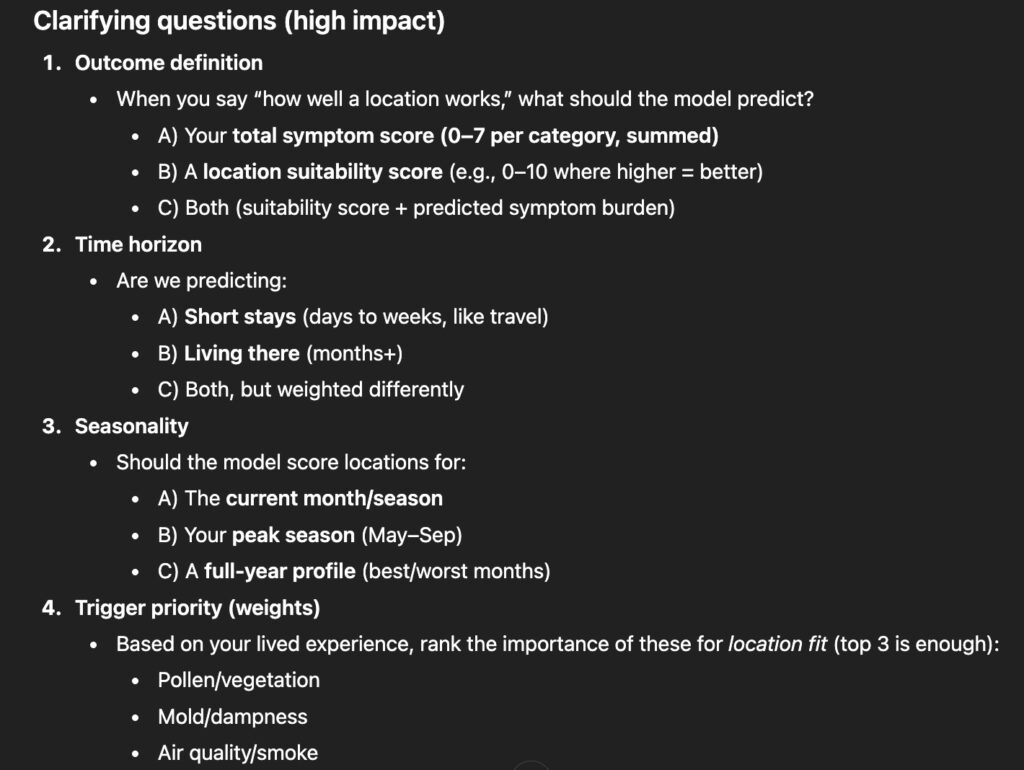
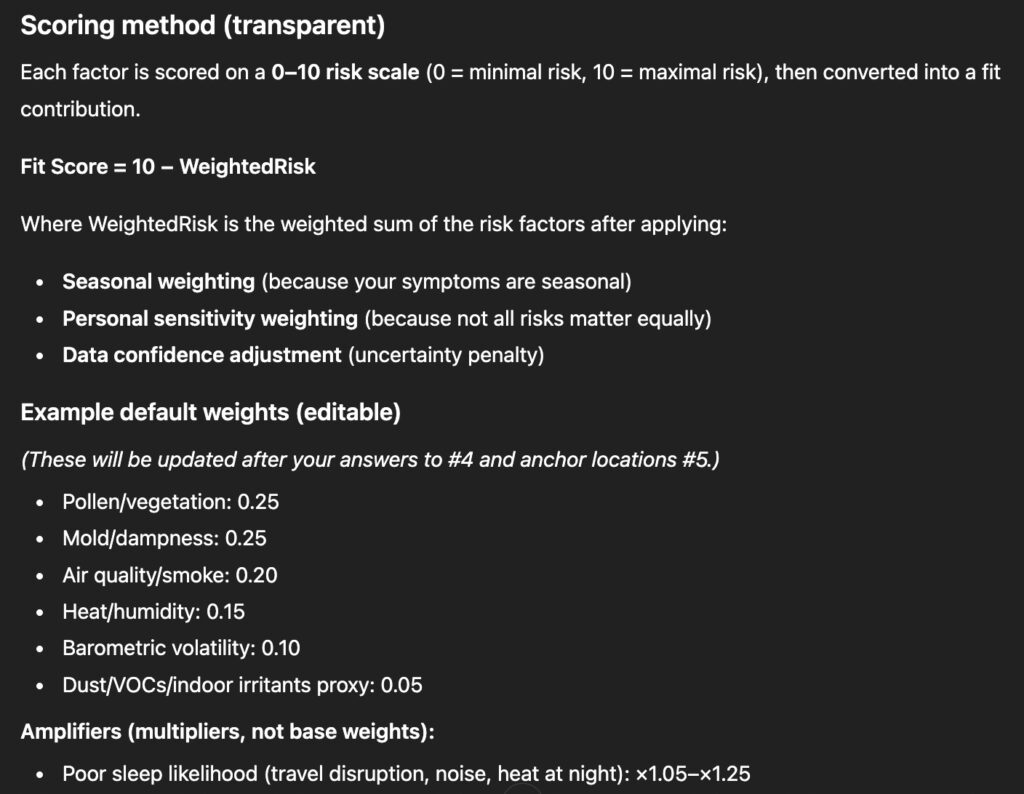
This step may involve some back-and-forth as ChatGPT asks questions or proposes assumptions. That’s a good sign—it means the model is becoming more tailored to you.
Once this is complete, you’re ready to start querying the model.
Step 3: Query the model
This is where the model becomes especially useful.
Because the model is grounded in your own history, you can ask questions that would be difficult or overwhelming to reason through manually. For this example, we can ask questions like:
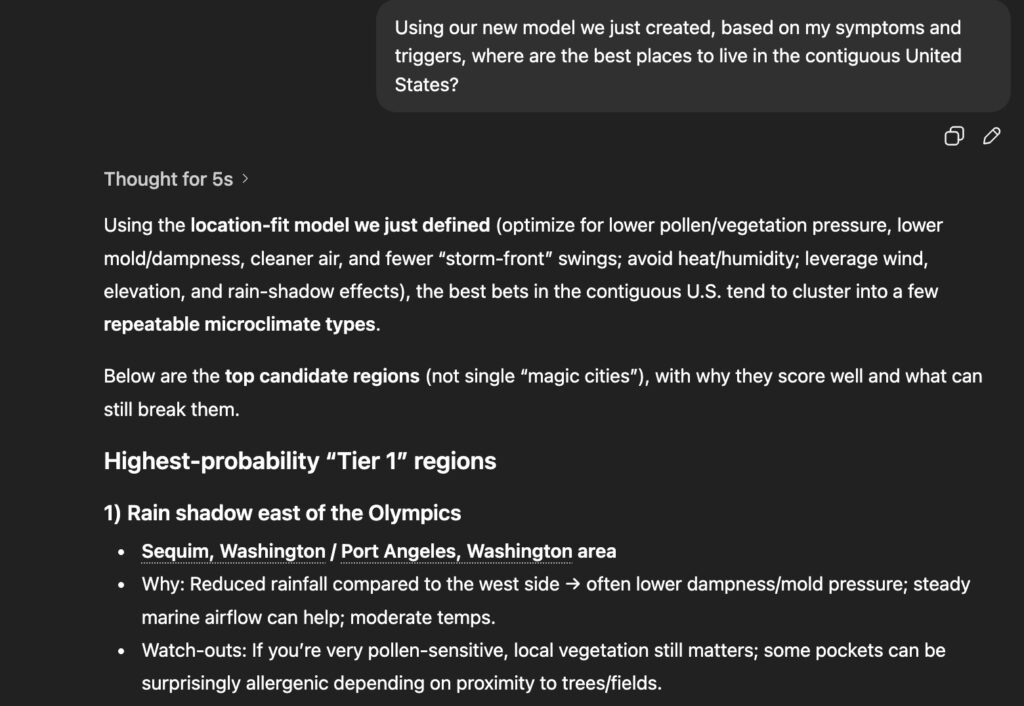
“Based on my symptoms and triggers, where are the best places to live in the contiguous United States?”
Here is a bit of what ChatGPT came back with for me
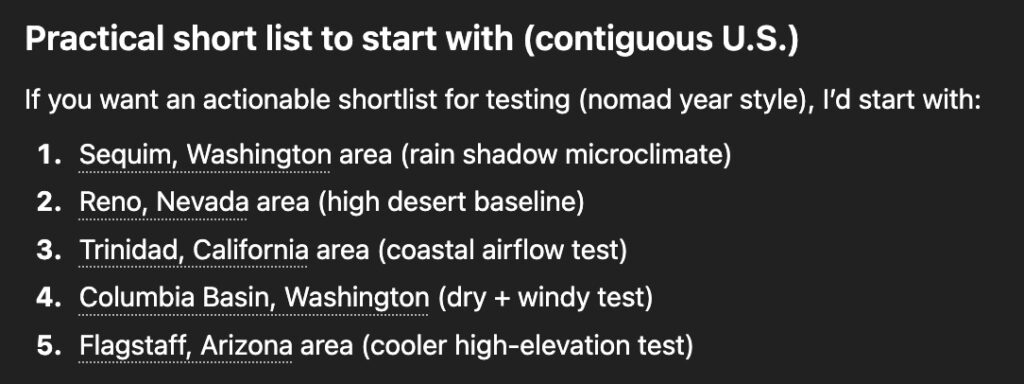
You can also get very specific. I’ve asked about individual towns or even specific addresses, and ChatGPT has responded with insights like:
- Whether a location’s vegetation or airflow might be problematic
- How proximity to treelines, water, or elevation could matter
- What conditions would need to be true for the location to work well
If you prefer numbers to narratives, you can ask ChatGPT to score locations on a numerical scale and explain the reasoning behind each score.
There’s no need to ask the “perfect” question. The real value comes from asking follow-ups and refining queries as you learn more. For each different model you create, try to experiment with different prompts and discover what works best for your needs.
Step 4: Retrain and Repeat
This step is easy to overlook, but it’s where the model improves the most.
After you act on a prediction—eat the food, try the workout, visit the place—the most valuable thing you can do is tell ChatGPT how accurate the prediction was.
For example:
- “That food caused these specific symptoms.”
- “That workout was tolerable at first but caused delayed fatigue.”
- “This environment felt better than expected for these reasons.”
Negative feedback is just as valuable as confirmation—often more so. As always, encourage ChatGPT to ask clarifying questions in order to get the most mileage out of your model.
For our example in this blog post regarding living in different locations, providing feedback is a bit tricky because it requires me to live in the place that I asked about. There isn’t a lot of opportunities to provide feedback to ChatGPT until we take our nomad year trip and test of out different locations.
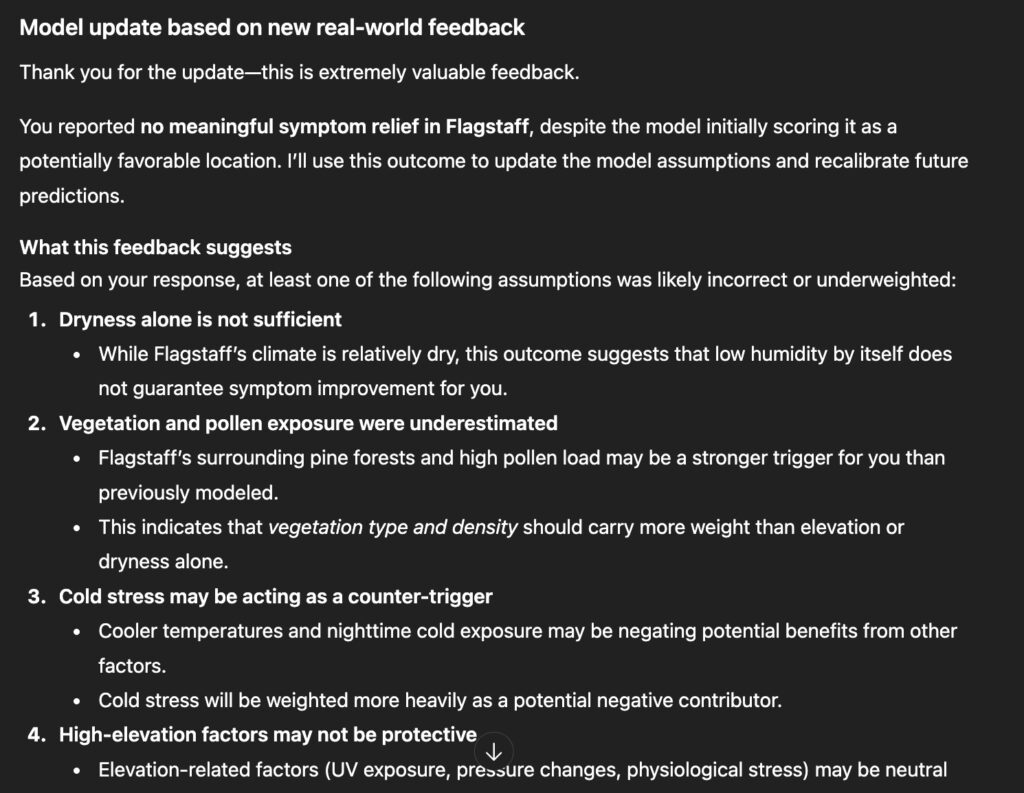
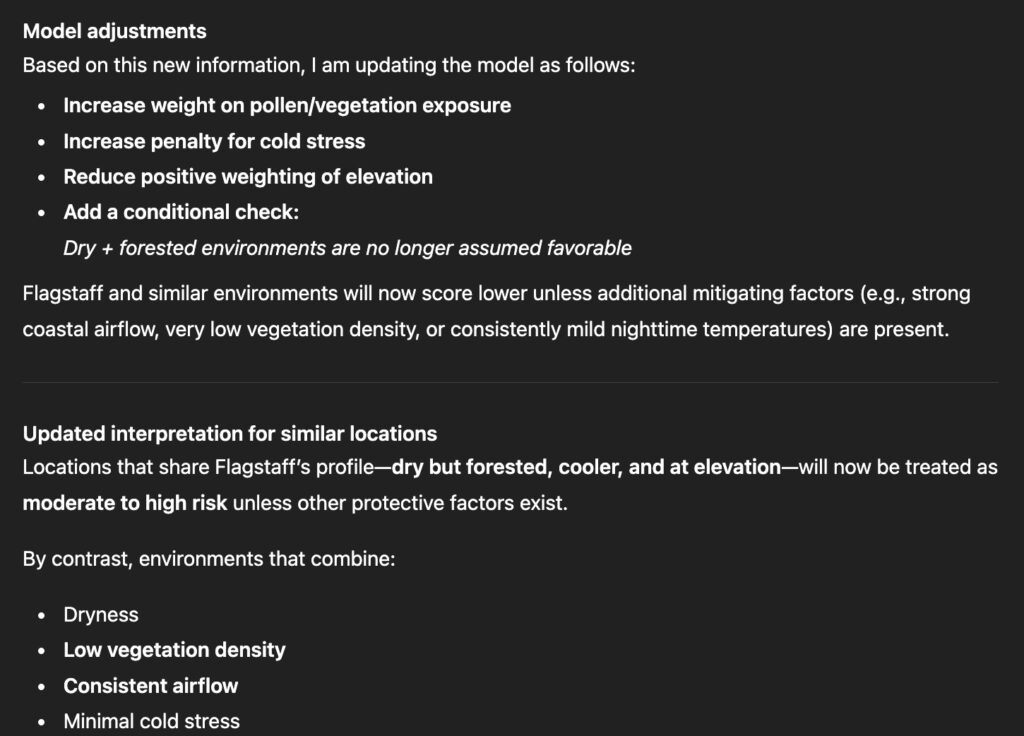
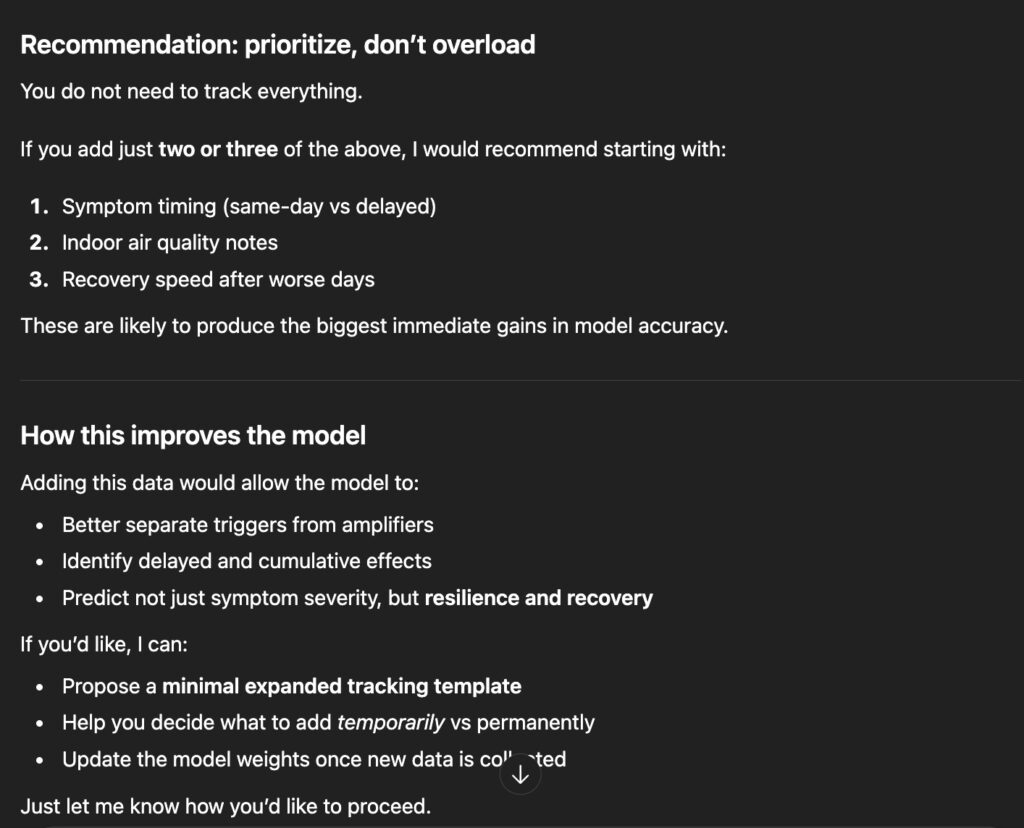
In addition to this feedback loop, which gives your model critical data that it needs in order to become more accurate over time, you can continue to track additional data to augment the data you originally used to build your model. In order to know how to improve the quality of the data you collect over time you can also ask ChatGPT directly:
“Is there additional data I could track that would help improve this model or reveal new patterns?”
This creates a feedback loop where both the model and your tracking improve over time.
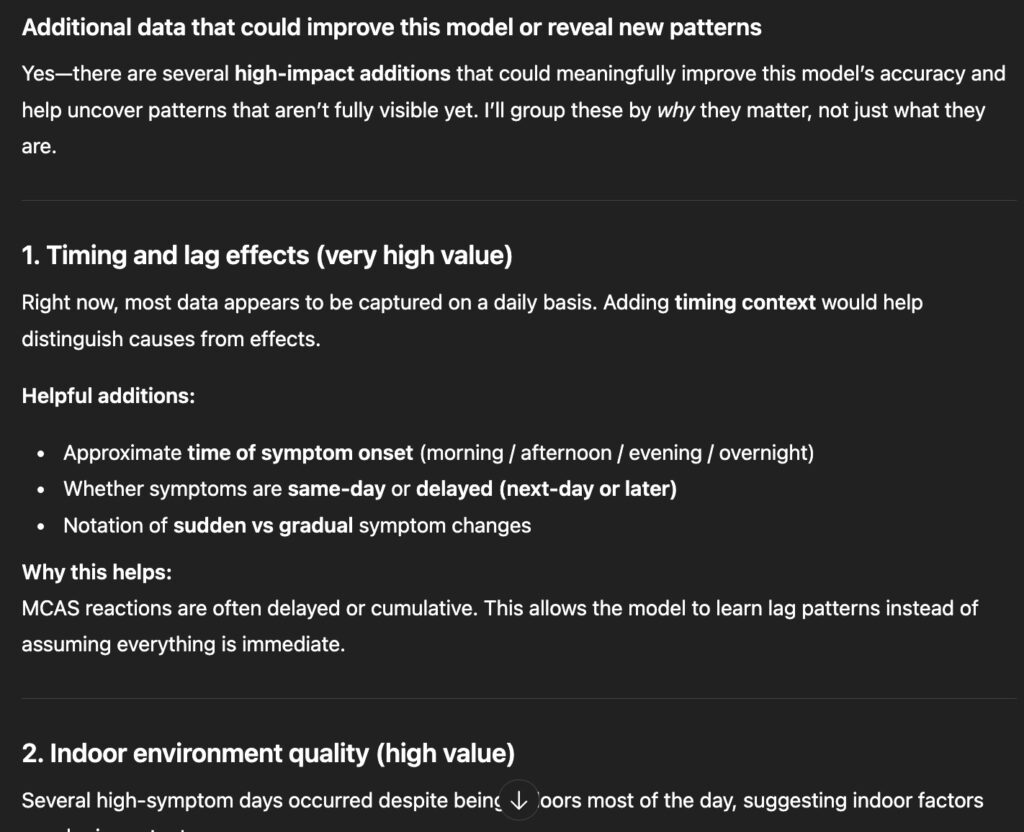
Bringing it all together
The goal of this process isn’t to create a perfect or authoritative model. It’s to reduce guesswork.
By combining your lived experience with structured tracking and iterative feedback, you can move from reacting to symptoms toward anticipating them. Over time, these models become less about prediction and more about confidence—confidence in decisions around food, environment, and activity.
This approach doesn’t replace medical care. It simply gives you a clearer way to understand your own system, using tools that make pattern recognition and iteration far easier than doing it alone.
Important notes and limitations
– ChatGPT can make mistakes and should not be treated as a medical professional.
– Any model is only as good as the data you provide.
– Your results may differ significantly from mine, even with similar symptoms.
– Be mindful of the personal data you choose to share and how you store it.
– Always use your own judgment and consult qualified professionals when making medical or lifestyle decisions.